

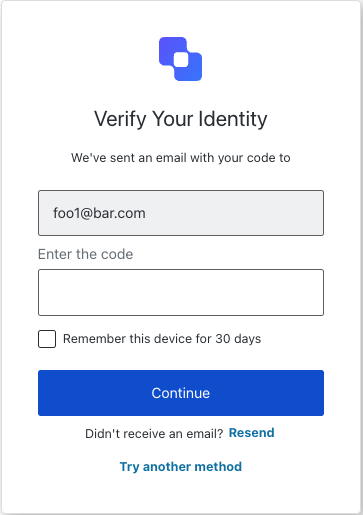
reset-password-mfa-email-challenge screen functionality. This screen prompts the user to enter the verification code sent to their email address as part of the MFA step during a password reset flow.
Constructors
Create an instance of ResetPasswordMfaEmailChallenge screen managerExample
Properties
Provides branding-related configurations, such as branding theme and settings.
Provides client-related configurations, such as
id, name, and logoUrl, for the reset-password-mfa-email-challenge screen.Provides information about the user’s organization, such as organization
id and name.Contains data about the current prompt in the authentication flow.
Contains details specific to the
reset-password-mfa-email-challenge screen, including its configuration and context.Contains data related to the tenant, such as
id and associated metadata.Provides transaction-specific data for the
reset-password-mfa-email-challenge screen, such as active identifiers and flow states.Handles untrusted data passed to the SDK, such as user input during the MFA challenge flow.
Details of the active user, including
username, email, and roles.Methods
This method submits the email verification code to continue the MFA challenge during the password reset flow.
Example
Optional payload.
This method resends the verification code to the user’s email address.
Example
Optional payload.
This method provides resend functionality with timeout management for the
reset-password-mfa-email-challenge screen.Example
Optional payload.
This method allows the user to select a different MFA method to complete the challenge.
Example
Optional payload.